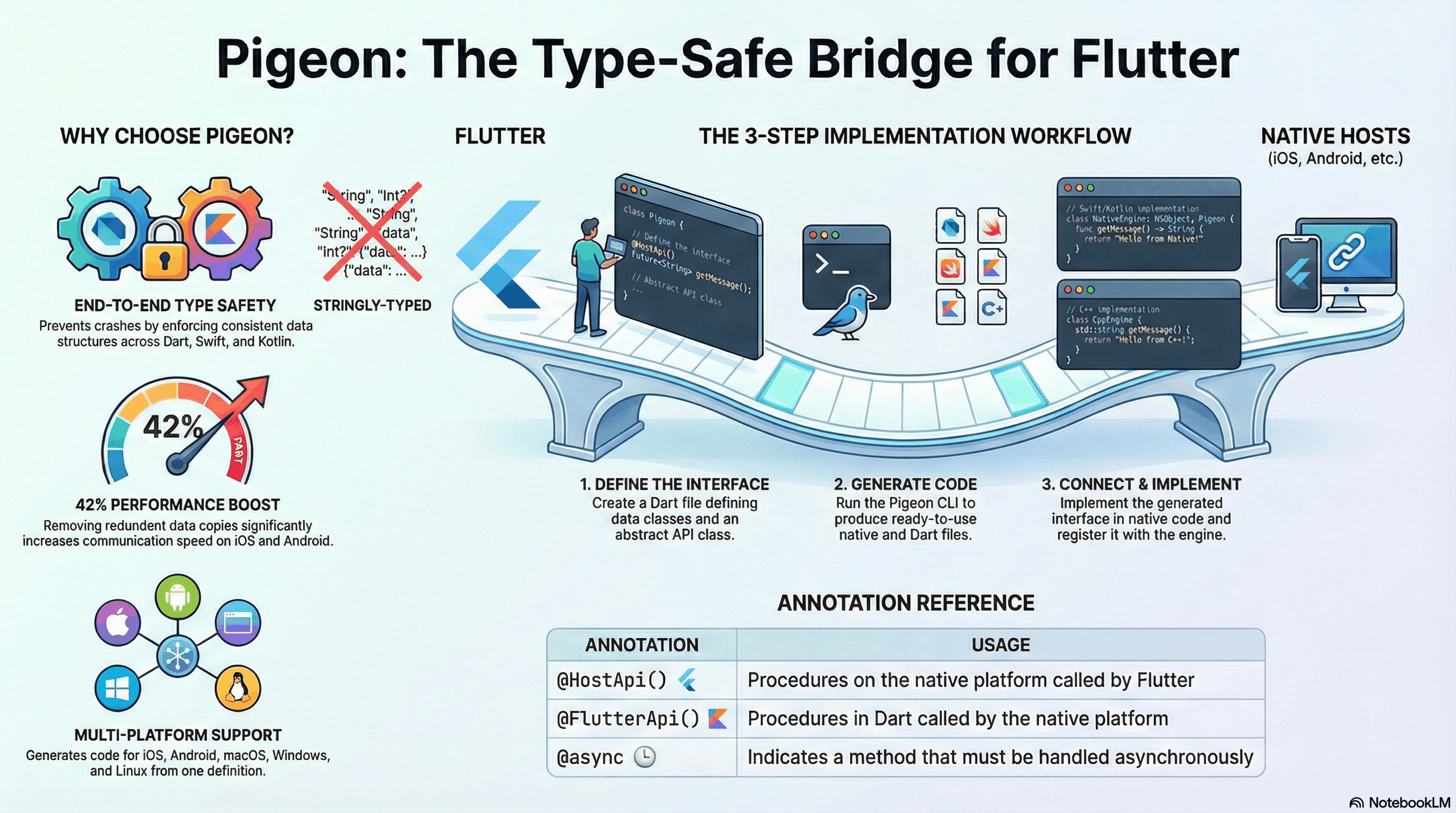
Pigeon is a code generation tool that creates type-safe communication channels between Flutter and native platforms (iOS and Android). It generates the communication boilerplate so you can focus on implementing your actual native logic.
What Pigeon Does
Think of Pigeon as an auto-generated translator that sits between your Flutter code and your native implementations.
Generated Output
On the Flutter (Dart) side, Pigeon creates:
- Strongly-typed Dart APIs
- Message serialization code
- Platform channel setup
On the native side, Pigeon creates:
- For Android: Java/Kotlin interfaces with channel wiring
- For iOS: Swift/Objective-C protocols with channel setup
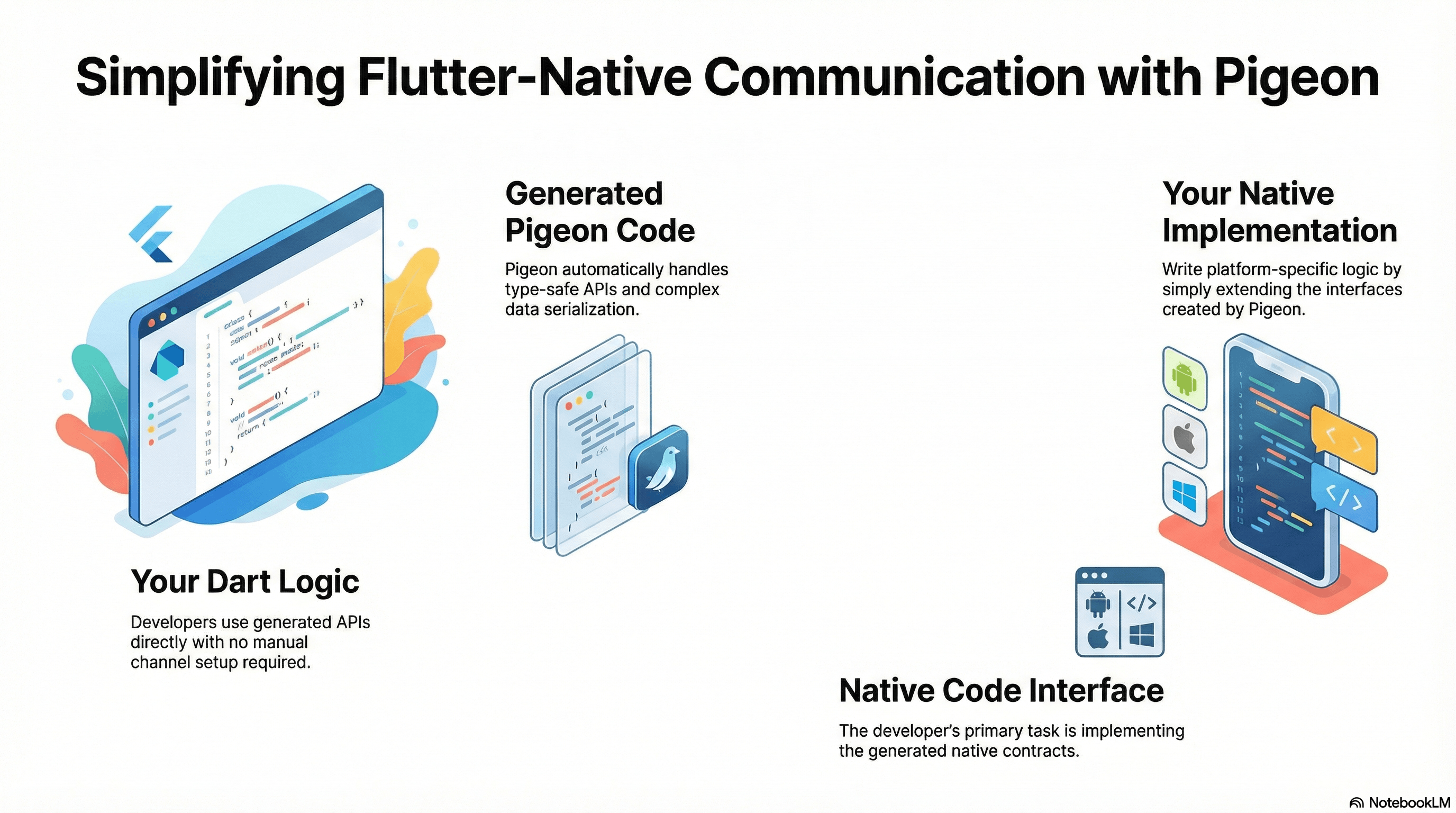
The Simple Mental Model
Your Flutter App
    │
    ▼
Your Dart Logic
    • Uses generated APIs
    • No channel setup needed
    │
    ▼
Generated Code (Pigeon)
    • Type-safe APIs
    • Automatic serialization
    • Channel communication
    ← Pigeon creates this
    │
    ▼
Your Native Implementation
    • Write actual platform logic
    • Extend generated interfaces
    ← You write this
Pigeon vs MethodChannel
| Aspect | Pigeon | Traditional MethodChannel |
|---|---|---|
| Type Safety | Compile-time checking | Runtime string matching |
| Code Completion | Full IDE support | Manual string typing |
| Refactoring | Safe and easy | Error-prone |
| Boilerplate | Auto-generated | Manual implementation |
| Native Logic | You still write it | You write it |
When to Use Pigeon
Use Pigeon when you need:
- Complex platform communication
- Multiple method calls between Flutter and native code
- Team collaboration on platform code
- Long-term maintainability and type safety
Consider direct MethodChannel for:
- Simple one-off native calls
- Quick prototypes
- Minimal platform interaction
Best Practices
-
Start Simple
Define clear, focused APIs in your Pigeon schema. Keep methods specific and well-typed.
-
Let Pigeon Handle Communication
Trust the generated code and focus on your business logic implementation.
-
Test Your Implementation
Test your native logic, not Pigeon's generated code. Pigeon ensures the communication layer works correctly.
Getting Started
- Define your communication interface in a Pigeon schema file
- Run Pigeon to generate platform-specific code
- Implement the generated interfaces with your native logic
- Use the type-safe APIs in your Flutter application
Summary
Pigeon does:
- Generate type-safe communication layers
- Eliminate string-based channel calls
- Provide compile-time safety
- Reduce boilerplate code
Pigeon does not:
- Write your native logic
- Replace platform-specific code
- Handle your business implementation